Infinity Bot LogoInfinity
HomeBlogPricing
Infinity Bot LogoInfinity

Company

  • About us
  • Contact us
  • Become an affiliate

Resources

  • Blogs
  • Dropshipping Agency
  • Help Center

Trust and Legal

  • Terms of Service
  • Privacy policy
About usContact usBecome an affiliate
Terms of ServicePrivacy policy
BlogsDropshipping AgencyHelp Center

© 2026 Infinity Collective LLC. All rights reserved.

TiktokYouTubeInstagramTwitterDiscord

Run your own dropshipping agency

Bring your clients, manage their accounts, and invoice them through your own Stripe. We provide the infrastructure, you keep the relationship and the profit.
Apply for access
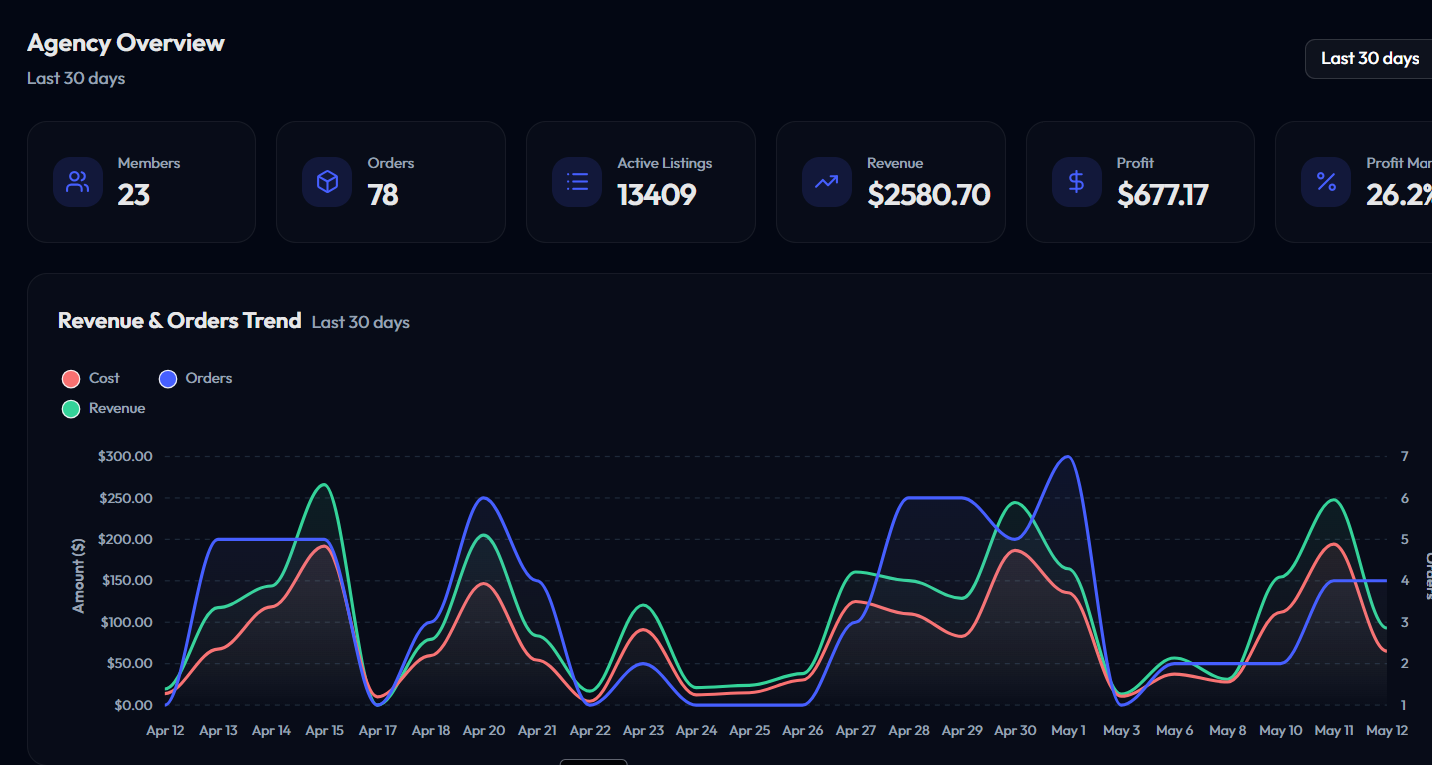
Agency success on Infinity
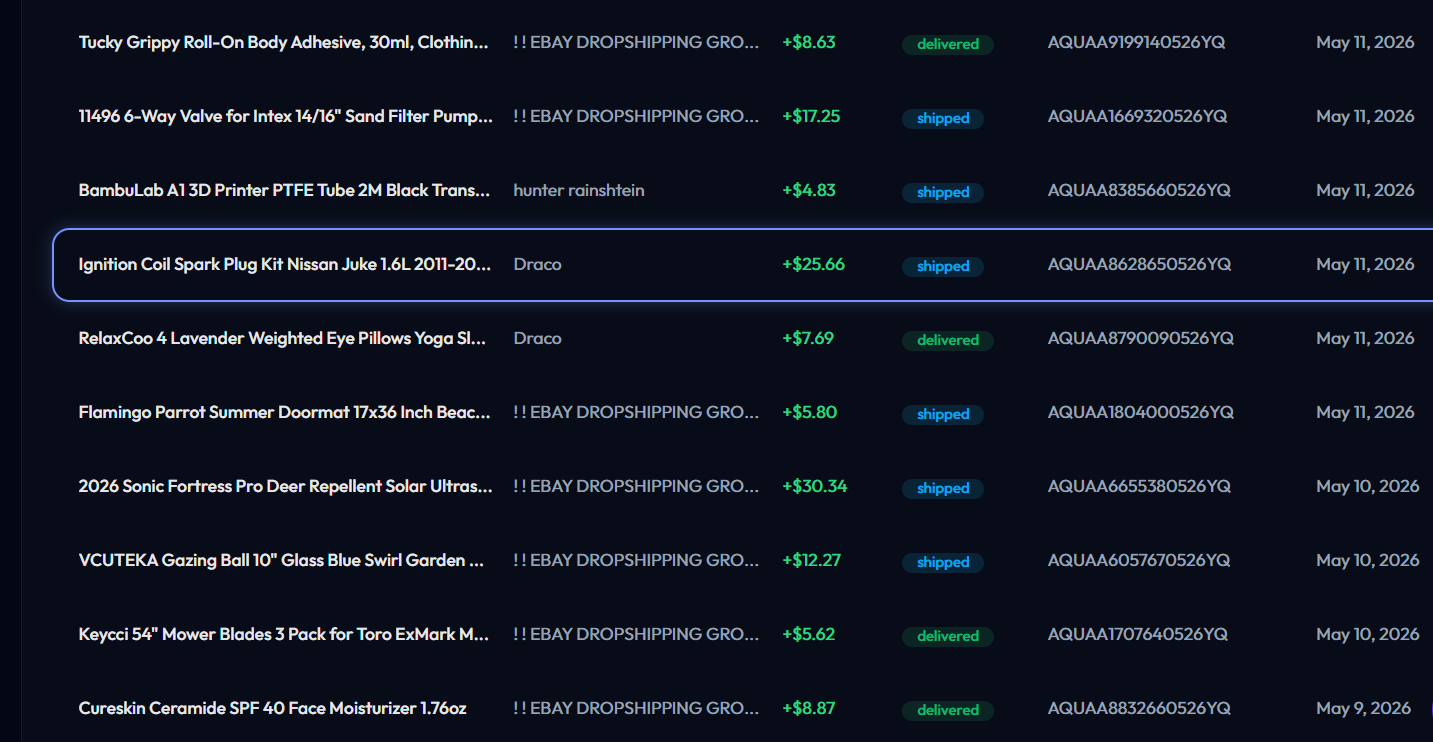
Agency order success on Infinity
How It Works

From application to first invoice

Step 1

Apply

Tell us your agency name, contact, and how many seats you expect to start with.

Step 2

Get approved

We review applications within 1–2 business days and email you the moment you're in.

Step 3

Connect Stripe + invite clients

Connect your Stripe account, pick a tier per seat, and invoice your clients directly.

FAQ

Common questions

How does billing actually work?

You pay Infinity a per-seat subscription (essentials/elite/enterprise) for each managed user. You then invoice your client whatever you want through your own Stripe - the difference is your margin.

Why do I need Stripe Connect?

Connect lets you accept payments under your own Stripe account without us ever touching your secret key. We only get a connected-account ID - Stripe handles all the money flow.

What happens if a client cancels?

Remove them from your agency in the dashboard and we cancel that seat's Infinity subscription on your next billing cycle. No long-term commitments.

Why is this an application?

We're rolling agencies out gradually so we can support new agency owners properly. We approve quickly - usually within a business day.

Apply

Apply for early access

Tell us about your agency. We'll get back to you within 1–2 business days.

Sign in or create an Infinity account to apply.

Sign up to applyI already have an account

Help Center

Guides for this page and across Infinity

  • Two Step Dropshipping Guide

    How two-step dropshipping works and when to use it.

    Order Fulfillment

  • Automated Marketing Campaign Setup

    Set up automated promotions and markdown sales to drive more views and orders.

    Marketing

  • Common Pitfalls to Avoid When Entering Tracking for Your Order

    Tracking mistakes that cause eBay defects, and how to avoid them.

    Tracking

  • Common Pitfalls to Avoid When Listing on eBay

    Listing mistakes that get items removed or accounts flagged.

    Listing

  • Complete Sourcing Guide

    End-to-end guide to finding winning products with the Sourcing tool.

    Listing

  • Configuring Image Templates

    Set the branded image template applied to every new listing.

    Listing

  • Configuring Messaging Automation

    Set up automatic buyer messages for orders, shipping, and feedback.

    Customer Service

  • Configuring Offer Automation

    Set the rules for automatic offers: discount, timing, and which listings.

    Profit Optimization

  • Configuring Your eBay Business Policies

    Choose the return, payment, and shipping policies new listings use, including RMA.

    Listing

  • eBay Business Account Requirements: A Guide for New Sellers

    What you need to open and run an eBay business account.

    Linking eBay Account

  • Feedback Removal Request Guide

    How to request removal of unfair or policy-violating negative feedback.

    Feedback

  • Free Shipping Supplies, How To Claim eBay Quarterly Promo

    Claim eBay's quarterly free shipping-supplies credit.

    Profit Optimization

  • Handling eBay Cases and Disputes

    What to do when a buyer escalates to an eBay case, and how to resolve it.

    Customer Service

  • Handling Order Cancellations

    Cancel an order you placed and respond to buyer cancellation requests.

    Customer Service

  • Handling Payment Disputes (Chargebacks)

    How to respond when a buyer disputes a charge with their bank or card.

    Customer Service

  • How Prime for Young Adults Can Boost Your Profits (and How to Register)

    How Prime for Young Adults lowers costs, and how to register.

    Profit Optimization

  • How to Connect Your eBay Account to Infinity

    Link your eBay account so Infinity can list and fulfill for you.

    Linking eBay Account

  • How To Deal With Item Not Received Requests

    What to do when a buyer opens an item-not-received (INR) request.

    Customer Service

  • How to Get Your Order Atlas API Key

    Step-by-step to grab your Order Atlas API key and connect it to Infinity.

    Order Fulfillment

  • How To Handle Returns

    The low-stress, no-loss way to handle a buyer return on eBay.

    Customer Service

  • How to Set Up Full Automation in Infinity (Step-by-Step Guide)

    Connect everything and turn on hands-off ordering and tracking.

    Full Automation Setup

  • How to Use Manual Order (and What It's For)

    Place an order by hand when automation can't, and when you'd want to.

    Order Fulfillment

  • Importing Your Existing Listings

    Pull your existing eBay listings into Infinity so it can manage and track them.

    Listing

  • Improving Sell-Through: Refreshing Your Old or Inactive Listings

    Refresh stale listings to win the buy box and sell more.

    Profit Optimization

  • Managing Your Connected Accounts

    Connect and manage your eBay and Amazon accounts, proxies, and API keys.

    Account

  • Managing Your Subscription

    View, change, or cancel your Infinity subscription and billing.

    Subscription

  • Marketing: Campaigns

    Create campaigns, the containers that hold your Promoted Listings ads.

    Marketing

  • Marketing: Promoted Listings (Ads)

    Pay-per-sale Sponsored placement that puts your items at the top of eBay search.

    Marketing

  • Marketing: Promotions

    Run buyer discounts: markdowns, percent-off, and order deals you set.

    Marketing

  • Marketing: Reports

    Track the performance of your campaigns, ads, and promotions.

    Marketing

  • Marketing: Store Emails

    Email buyers who follow your eBay store with promotions and new arrivals.

    Marketing

  • Optimizing Your eBay Listing Images, Titles, and Pricing

    Make listings convert with better images, titles, and pricing.

    Listing

  • Optimizing Your Profitability with the Prime Store Card

    Use the Prime Store Card to boost margins on sourced orders.

    Profit Optimization

  • Referrals and the Affiliate Program

    Earn by referring sellers to Infinity and track your referral payouts.

    Account

  • Technical Issues with Listing (Error Explanations)

    What each listing error means and how to fix it.

    Listing

  • Technical Issues with Ordering (Error Explanations)

    What each automated-ordering error means and how to resolve it.

    Order Fulfillment

  • Technical Issues with Tracking

    Fixes for common tracking-upload errors.

    Tracking

  • Understanding eBay Selling Limits (And How to Increase Them)

    What eBay selling limits are and how to raise them.

    Profit Optimization

  • Understanding Sales Tax for eBay Sellers (and How to Purchase Tax-Free)

    How sales tax works for resellers and how to buy tax-free.

    Profit Optimization

  • Understanding Your Dashboard

    A tour of your home dashboard: sales, profit, orders, and where each tool lives.

    Getting Started

  • What Are Order Tokens and How Do I Buy Them?

    What order tokens are, how they're spent on automated orders, and how to buy more.

    Order Fulfillment

  • What Does Infinity's Leads Do?

    How Infinity surfaces fresh product leads worth listing.

    Listing

  • What Does Listing Autopilot Do

    Let Listing Autopilot research and list profitable products for you automatically.

    Listing

  • What Does Mirror List Do?

    Clone an existing eBay listing's settings onto new products.

    Listing

  • What Is Get ASIN by Item ID?

    Look up the Amazon ASIN behind any eBay item id.

    Listing

  • What Is Product Finder?

    Filter Amazon's catalog by category, price, and margin to find products worth listing.

    Listing

  • What Is The Awaiting Shipment Page?

    Orders waiting to be fulfilled on Amazon, and how to place them in one click.

    Order Fulfillment

  • What Is The Catalog Page?

    Every product you've listed in one table, with live stock, price, and profit.

    Listing

  • What Is The Cleanup Page?

    Find and remove dead, unprofitable, or policy-risk listings to keep your store healthy.

    Listing

  • What Is The Communications Page?

    Read and reply to buyer messages and manage automated replies in one inbox.

    Customer Service

  • What Is The Listing Page?

    List a single Amazon product to eBay by hand, with templates and markup applied automatically.

    Listing

  • What Is The Listing Performance Page?

    See which listings get views, watchers, and sales so you can double down on winners.

    Profit Optimization

  • What Is The Marketplace?

    Add pre-vetted, ready-to-sell products to your store from the Infinity marketplace.

    Listing

  • What Is The Markup Control Page?

    Set the profit markup applied to your listing prices, globally or per item.

    Profit Optimization

  • What Is The Needs Tracking Page?

    Orders shipped on Amazon that still need a tracking number uploaded to eBay.

    Order Fulfillment

  • What Is The Offers Page?

    Send automatic best-offers to watchers and interested buyers to close more sales.

    Profit Optimization

Browse the full help center →